

Best 10 Luxury AI Prompts for Exquisite Fashion Photography of Statement Accessories
Luxury fashion photography thrives on the power of statement accessories, and these ten premium AI prompts are designed to capture that essence with breathtaking detail. Each prompt in this collection pushes the boundaries of AI-generated imagery, blending haute couture elements with futuristic, cinematic, and editorial aesthetics to create images that feel both aspirational and tangible.
From the sharp, light-catching pleats of a metallic mini dress to the gradient shimmer of a red-carpet sequin gown, these prompts focus on how accessories and textures can define a visual narrative. Whether you are crafting a high-fashion editorial, a music-themed portrait, or an urban night scene, this set provides the exact language to achieve striking, 8k-resolution results that demand attention.
What this luxury fashion accessory collection is asking for
This collection of ten prompts centers on high-end fashion photography where accessories and garment details become the focal point of the image. Each prompt specifies a unique scene, from a futuristic studio with geometric light patterns to a hacker’s den filled with glitching code panels, ensuring that every generated image tells a distinct story while highlighting the model’s attire and the surrounding atmosphere.
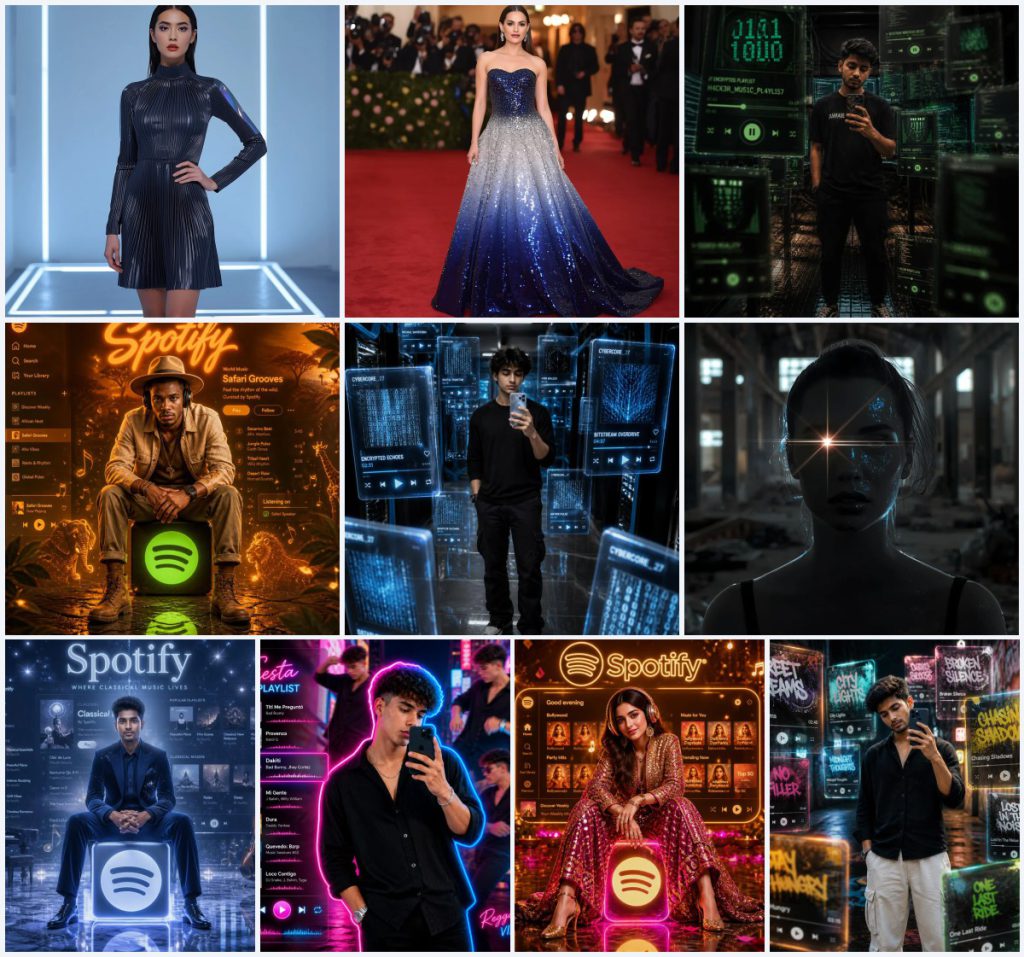
- A metallic pleated mini dress with holographic accents and a high neckline
- An ombre sequin gown transitioning from deep sapphire to shimmering silver
- Floating transparent 3D music player tiles with glitching green and black code patterns
- A glowing Spotify logo cube with earthy orange and deep amber neon light
- A transparent smart-device in a high-tech server room with glowing blue data cables
- A sequined Bollywood-inspired lehenga with gold accents and statement earrings
The visual scene these prompts build together
Across the collection, the scenes range from minimalist neon-lit studios to vibrant urban alleyways adorned with graffiti, each crafted to amplify the luxury accessories at the forefront. For instance, one prompt places the model in "a dimly lit hacker's den with multiple monitors displaying lines of code," where the rugged smartphone and floating code panels become the statement pieces, while another sets the stage with "a bustling neon-lit city street at night" for a reggaeton-inspired mirror selfie, blending energetic cutouts with a lively playlist panel.
The shared thread is a cinematic, high-contrast environment that elevates the fashion elements. In the safari-themed Spotify portrait, "swirling dust, rustling leaves, glowing animal silhouette particles" surround the subject, making the wide-brimmed hat and earthy-toned headphones feel like natural extensions of the scene. Similarly, the industrial grunge prompt uses "a powerful, cold white flash source" to create stark metallic highlights on the subject against an abandoned factory backdrop, turning the outfit into a sculptural accessory.
Why this luxury prompt set works for statement accessories
This collection excels because it treats every accessory—from holographic panels to diamond earrings—as the hero of the image, using precise lighting and environmental cues to draw the eye. The prompts are built on a foundation of high-resolution realism and editorial intent, which ensures that textures like sequins, pleats, and circuit patterns read as tangible and luxurious rather than flat or artificial.
- The prompts use specific material descriptors like 'gradient sequins,' 'knife-edge pleats,' and 'glitching green and black code patterns' to create visual depth and texture that make accessories pop.
- Each scene includes a strong light source—neon glow, camera flashes, or cold white flash—that interacts with the accessories to produce highlights, reflections, and shadows, enhancing their three-dimensional appearance.
- The collection covers diverse aesthetics, from sci-fi and Bollywood to urban street art, allowing users to explore how the same focus on accessories can adapt across different fashion genres while maintaining a premium feel.
Three artistic styles that shape this collection
The prompts in this collection draw on three distinct artistic styles that define their visual language, each contributing to the luxurious and cinematic quality of the generated images. These styles are woven directly into the prompt language, ensuring that every output remains cohesive yet varied enough to suit different creative visions.
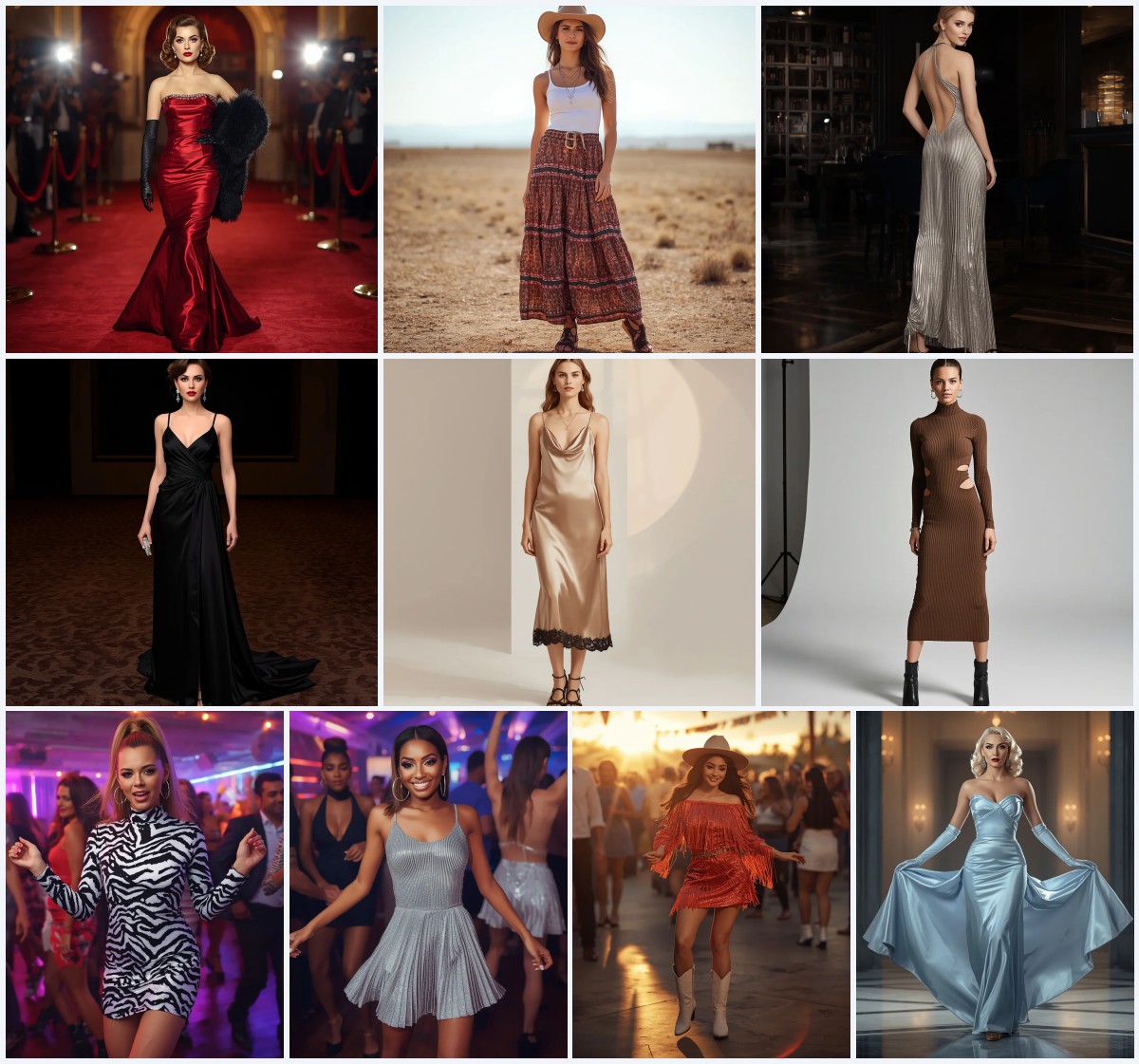
- High-fashion editorial: This style is evident in prompts like the red-carpet ombre sequin gown, where the strapless sweetheart neckline and A-line skirt are captured with dramatic lighting and a blurred backdrop of camera flashes, mimicking a glossy magazine spread.
- Cinematic neon realism: Seen in the Spotify icon portraits and mirror selfies, this style uses vibrant neon hues—gold, magenta, earthy orange—and floating particles to create a music-video aesthetic that feels immersive and larger than life.
- Futuristic cyberpunk: Prompts featuring holographic accents, glitching code panels, and cybernetic core server rooms embody this style, with sharp circuit-board edges and pulsating digital edges giving accessories a tech-forward, sci-fi edge.
How to generate images with these luxury prompts
To bring these luxury fashion prompts to life, follow a structured approach that ensures the AI captures every detail from the metallic pleats to the floating music tiles. The process involves careful prompt handling, reference image integration, and post-generation checks for anatomical and object accuracy.
- Copy the exact prompt text. Select one of the ten prompts, such as the futuristic metallic dress or the Bollywood Spotify portrait, and copy it without alteration to preserve the intended lighting and accessory details.
- Upload a reference photo if required. For prompts that mention using an uploaded photo, like the hacker's den mirror selfie, provide a clear, high-resolution image of the subject to maintain face, hairstyle, and body shape consistency.
- Set the AI to high-resolution output. Choose an 8k or equivalent high-res setting in your tool to capture the fine textures of sequins, holographic panels, and neon light reflections as specified in the prompts.
- Generate the initial image. Run the prompt and review the output for overall composition, ensuring the statement accessories—like the diamond earrings or the transparent smart-device—are prominently featured.
- Check hands and face for distortions. Examine the model's hands, especially in mirror selfie poses holding a smartphone, and verify that facial features remain natural, particularly in prompts with bold makeup or wet-look hair.
- Inspect the main accessory or object. Look closely at the key item, such as the glowing Spotify logo cube or the ombre sequin gown, to confirm that gradients, pleats, and light interactions appear realistic and free of artifacts.
Choosing the right reference photo for these prompts
When a prompt requires an uploaded photo, selecting the right reference is crucial for achieving the luxury fashion look. The reference should match the pose and lighting described in the prompt to allow the AI to seamlessly integrate the accessories and environment.
- Use a photo with neutral, even lighting to avoid conflicting shadows when the AI adds neon glows or cold white flash effects, as seen in the industrial grunge or Spotify icon prompts.
- Choose an image where the subject’s outfit is simple and uncluttered, so the AI can overlay the described attire—like a linen jacket or a sequined lehenga—without distortion.
- Ensure the reference photo has a clear, front-facing or three-quarter pose that matches the prompt’s direction, such as looking directly at the camera for the red-carpet gown or taking a mirror selfie for the urban alleyway scene.
AI tools suited for these luxury fashion prompts
Different AI image generators handle the intricate textures and lighting of these prompts with varying degrees of success. The table below compares four popular tools, focusing on how well they can render the specific luxury details found in this collection.
| Tool | Access | Typical realism | Useful here for |
|---|---|---|---|
| ChatGPT | Subscription-based with DALL·E integration | High for conceptual and editorial scenes | Excels at the futuristic metallic pleated mini dress with holographic accents due to its strong text-to-image coherence. |
| Google Gemini | Free and paid tiers with Imagen | Very high for photorealistic details | Ideal for the red-carpet ombre sequin gown, as it accurately renders the gradient transition from deep sapphire to shimmering silver. |
| Leonardo AI | Freemium with advanced style controls | High, especially with custom models | Best for the hacker's den mirror selfie, handling the floating 3D music player tiles with glitching green and black code patterns well. |
| Midjourney | Subscription-based via Discord | Exceptional for cinematic and atmospheric images | Perfect for the African safari Spotify icon portrait, capturing the earthy orange neon light and swirling dust with artistic depth. |
Three tips to enhance the luxury feel of these prompts
Small adjustments to how you use these prompts can significantly elevate the final image, making the accessories appear even more opulent and the scenes more immersive. These tips focus on leveraging real materials and objects mentioned in the prompts to guide the AI.
- Emphasize the holographic panels and knife-edge pleats on the metallic mini dress by adding a directional light source in your AI tool's settings, which will enhance the color-shifting effect and the sharp reflections on the gunmetal grey fabric.
- For the ombre sequin gown, request additional camera flash effects during generation to maximize the sparkle of the gradient sequins and the large diamond earrings, creating a true red-carpet burst of light.
- When working with the glitching code panels or holographic data streams, use a post-generation sharpening filter to define the circuit-board edges and pixelated play buttons, making the transparent 3D tiles feel more tactile and futuristic.
Common issues when generating these fashion prompts
Even with highly detailed prompts, certain failures can occur that undermine the luxury accessory focus. The table below identifies four typical problems and offers straightforward solutions to correct them without altering the core prompt.
| Issue | What to change |
|---|---|
| Holographic accents appear as solid colors | Increase the transparency and iridescence keywords in the prompt, or use a style tag like 'iridescent material' to force the color-shifting effect on the sleeves and hem. |
| Sequin gown lacks gradient definition | Add a modifier like 'smooth ombre transition' and reduce competing light sources so the deep sapphire and shimmering silver remain distinct across the A-line skirt. |
| Floating music tiles merge into the background | Specify 'high contrast against dark backdrop' and ensure the tiles have 'glowing edges' to separate them from the dimly lit hacker's den or server room environment. |
| Neon light overpowers the subject's accessories | Lower the intensity of neon glows like hot magenta or gold and increase the ambient fill light to keep details like statement earrings and sequined outfits visible. |
Frequently Asked Questions
Can I mix elements from different prompts in this collection?
Yes, you can blend details like the holographic accents from the futuristic dress with the neon cityscape from the reggaeton reel, but keep the core lighting consistent to avoid visual clashes. For example, if you combine the metallic pleats with the Bollywood gold and magenta neon, ensure the reflective surfaces interact naturally with the vibrant glows.
How do I ensure the uploaded photo matches the prompt's fashion style?
Start with a photo where the subject is in a neutral pose and simple clothing, as the AI will overlay the described outfit like the linen jacket or velvet suit. The reference should have similar lighting to the target scene—for instance, a softly lit portrait works best for the ethereal classical Spotify icon to maintain the serene expression and blue hues.
Why do the floating tiles sometimes look flat in the mirror selfie prompts?
Flatness often occurs when the AI doesn't render the transparent 3D effect properly. To fix this, add the phrase 'with depth and parallax' to the prompt and use a tool like Midjourney that excels at atmospheric layering, which helps the glitching code panels and street art patterns appear to float at different distances.
Conclusion
This collection of ten luxury AI prompts offers a versatile toolkit for creating exquisite fashion photography that centers on statement accessories, from holographic dresses to neon-lit Spotify portraits. By understanding the specific scene details, artistic styles, and technical requirements of each prompt, you can generate images that feel both editorial and cinematic, with every pleat, sequin, and digital tile rendered in stunning clarity. Whether you are using ChatGPT, Midjourney, or another tool, these prompts provide a foundation for experimenting with high-end fashion visuals that stand out in any portfolio or social media feed.
Remember to only edit and generate images using a photo you have the legal right to modify, ensuring your creative work remains both ethical and original.