

Best 10 Purple Saree AI Prompts for Regal and Luxurious Appearances
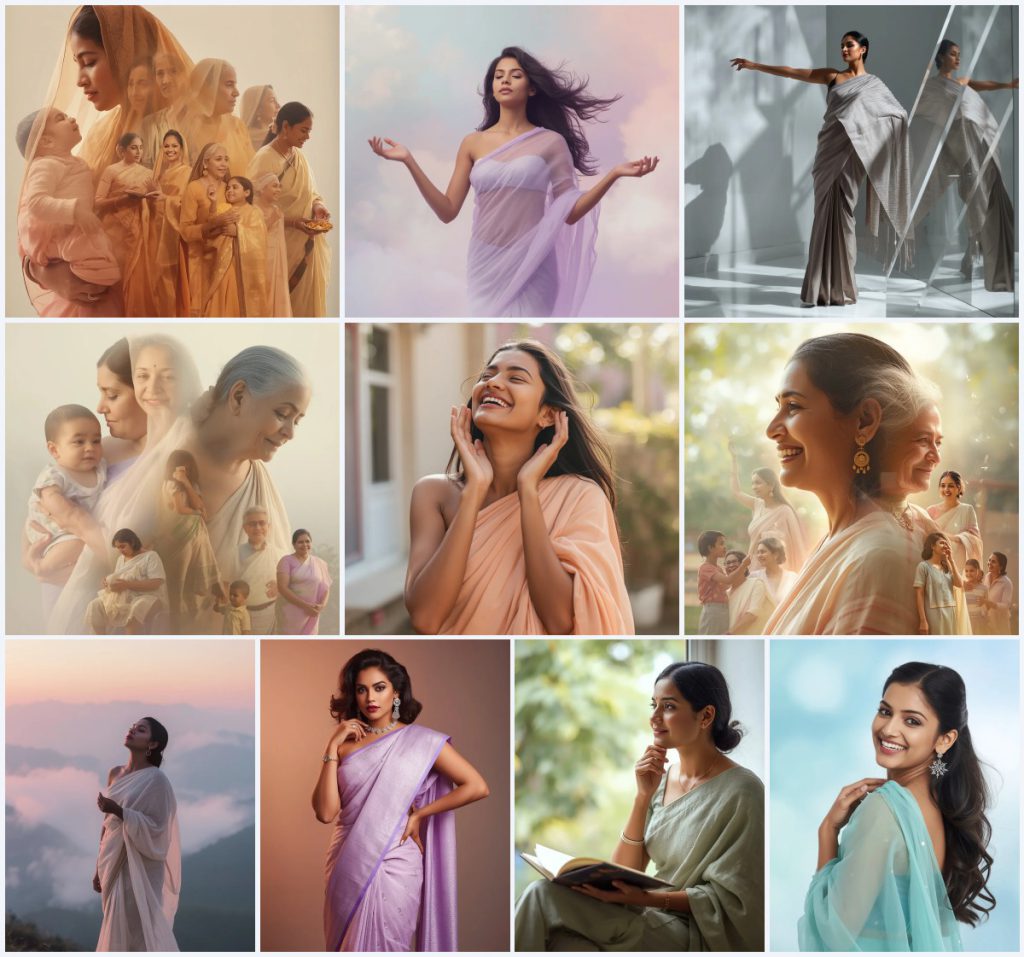
Purple has long been a colour of royalty, mystery, and quiet power, and when it drapes a saree in an AI-generated image, the result can feel both timeless and cinematic. This collection brings together ten distinct prompts, each exploring a different mood—from a mother’s tender legacy to a dreamer floating through pastel clouds—all anchored by the luxurious presence of a purple or pastel-toned saree. Whether you want a serene album cover, a candid laughter shot, or a bold studio portrait, these prompts give you a starting point for creating images that feel emotionally rich and visually striking.
The prompts in this set are designed to work with modern AI image generators, and each one includes specific details about fabric, lighting, expression, and background that help the model produce consistent, high-quality results. In this article we walk through what makes these prompts tick, how to use them, which styles suit them best, and how to avoid the most common generation issues—so you can spend less time tweaking and more time admiring the regal, graceful images that emerge.
What this purple saree collection is asking for
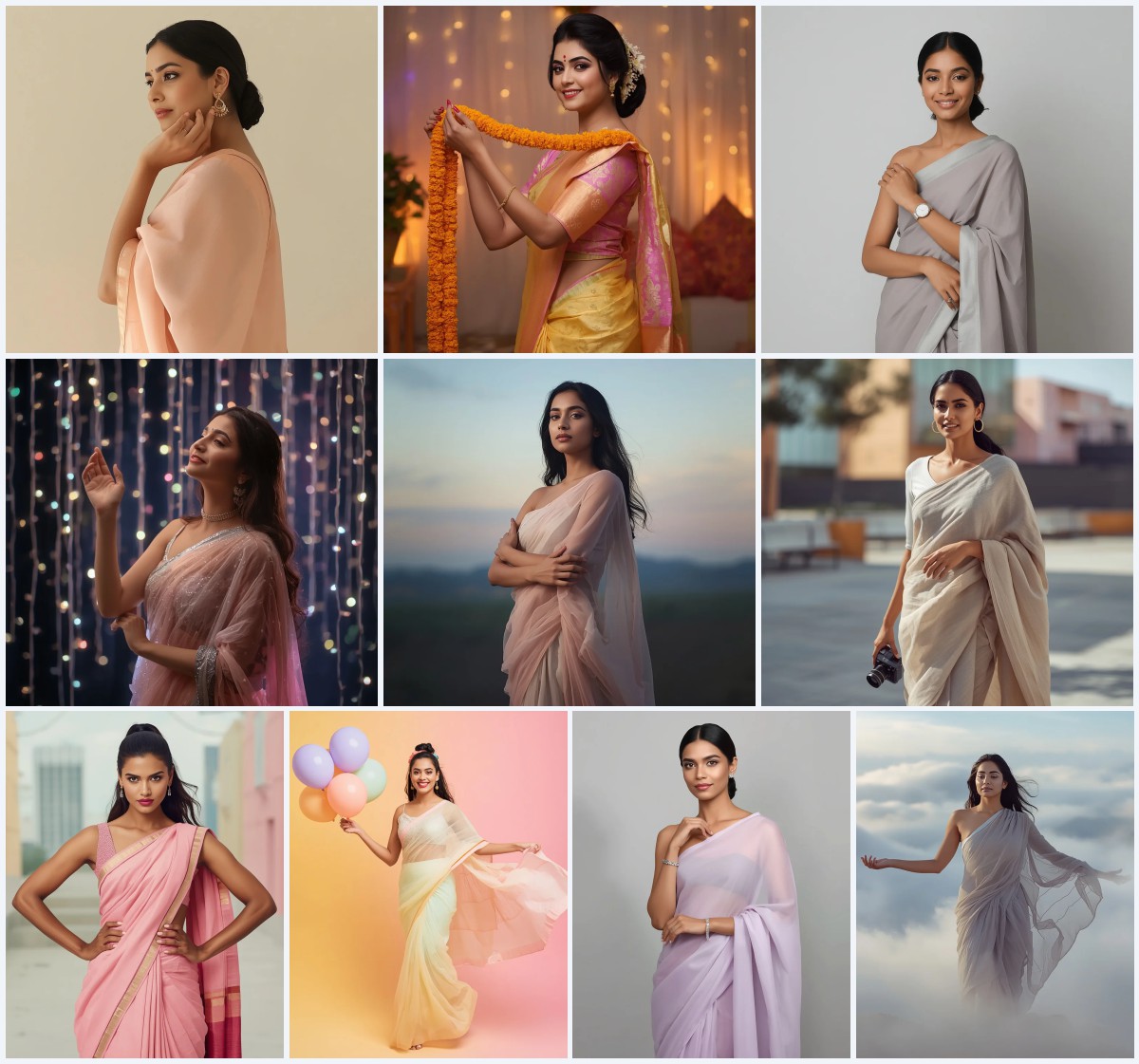
Across all ten prompts, the common thread is an Indian woman wearing a saree in shades of purple, lavender, pastel peach, cream, rose pink, ivory, charcoal grey, sage green, or aqua blue, always with an emphasis on elegance, emotion, and soft, luminous lighting. The scenes range from intimate close-ups to full-body dreamscapes, and every prompt includes cues about fabric texture, hand gestures, facial expression, hair styling, and background atmosphere. The goal is not just a woman in a saree, but a narrative moment—whether it is a mother overlapping through stages of life, a joyful laugh caught mid-motion, or a thoughtful figure by a window.
- Flowing pastel lavender net saree that moves as if in a dream
- Soft cream and pastel rose pink saree on a mother radiating joy across ages
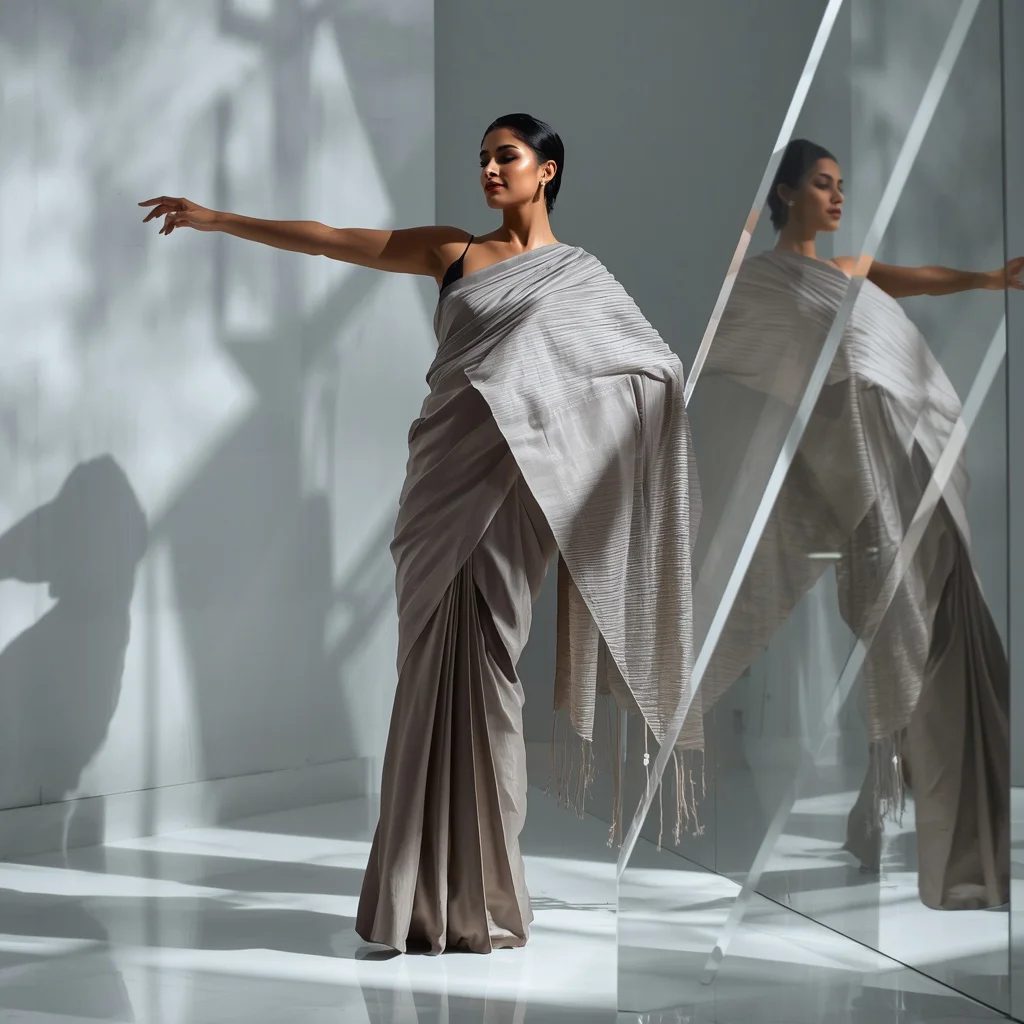
- Structured pastel charcoal grey silk saree with sharp pleats and modern drape
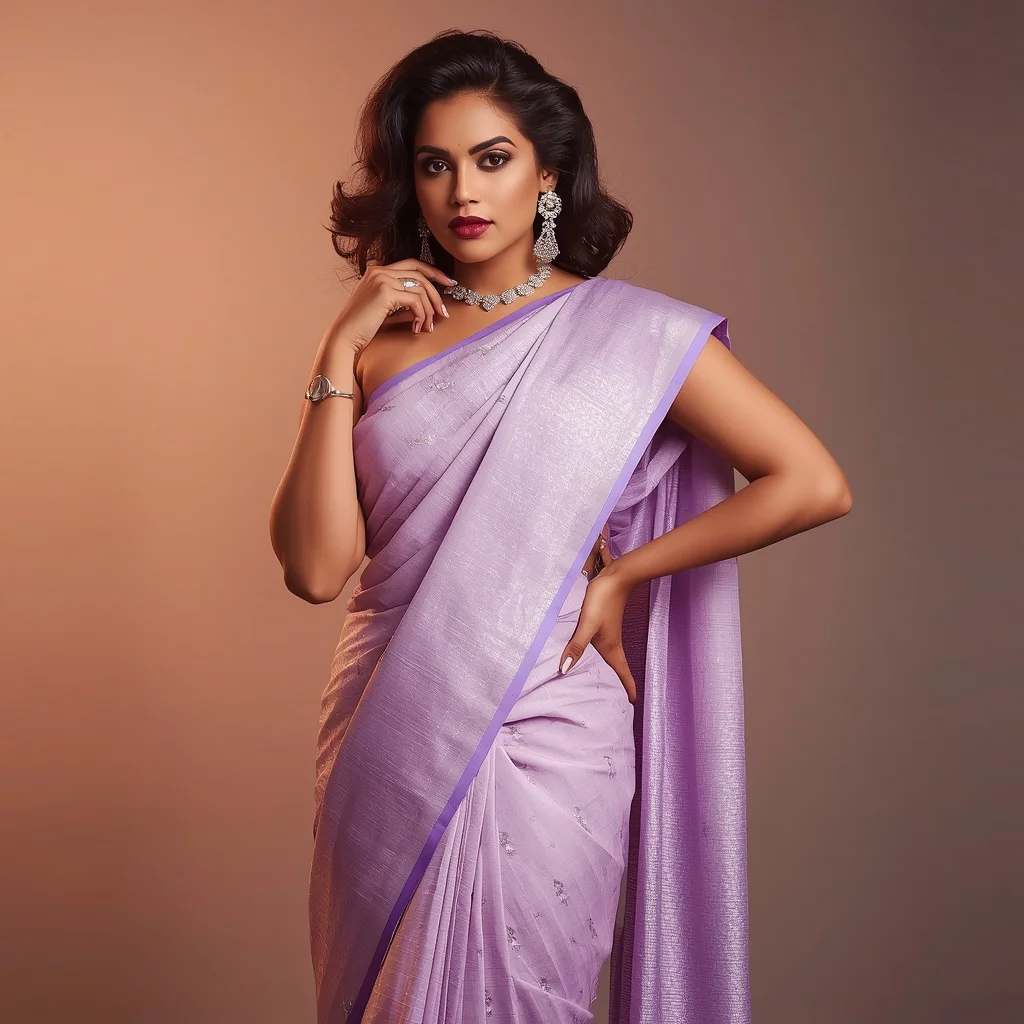
- Rich pastel lavender Kanjeevaram saree shimmering with subtle silver zari work
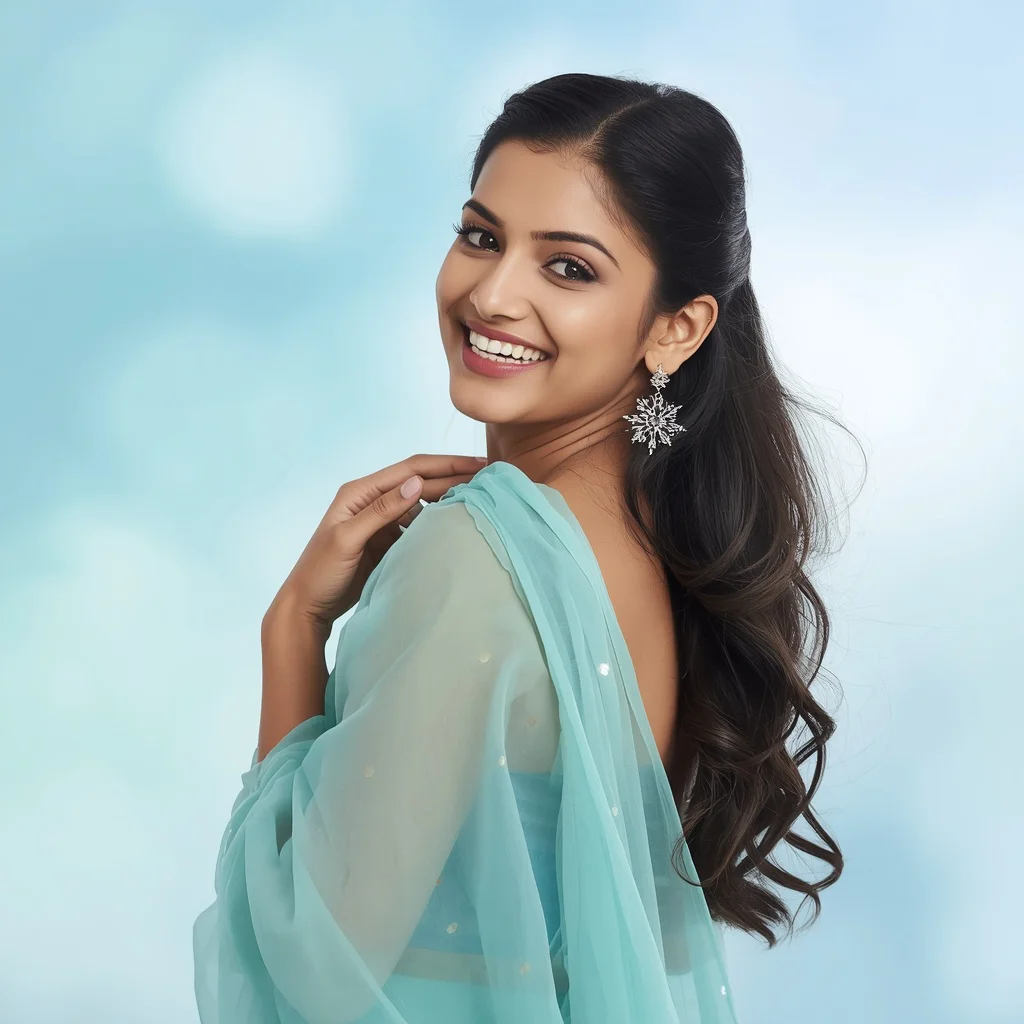
- Cheerful pastel aqua blue chiffon saree with a softly clasped hand gesture
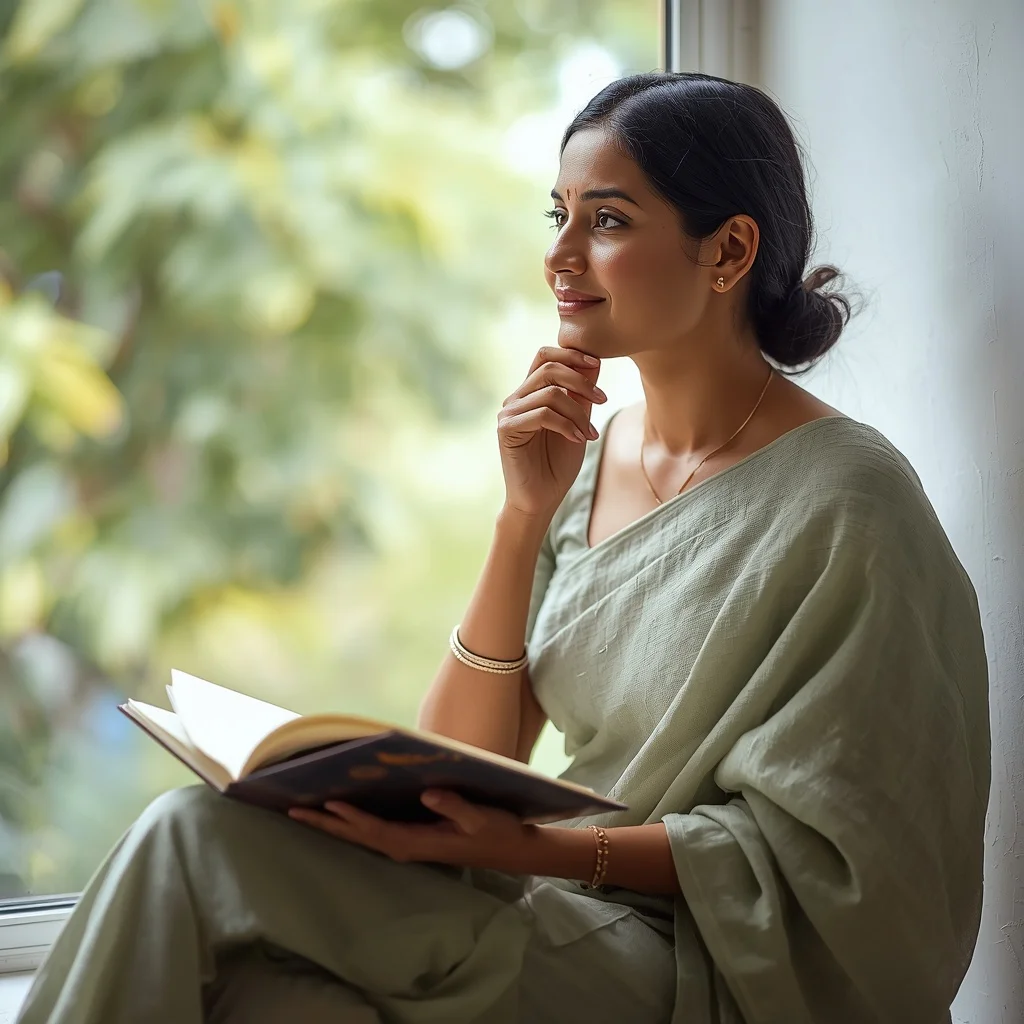
- Pastel sage green linen saree with natural texture, paired with an open journal
The visual world these prompts build
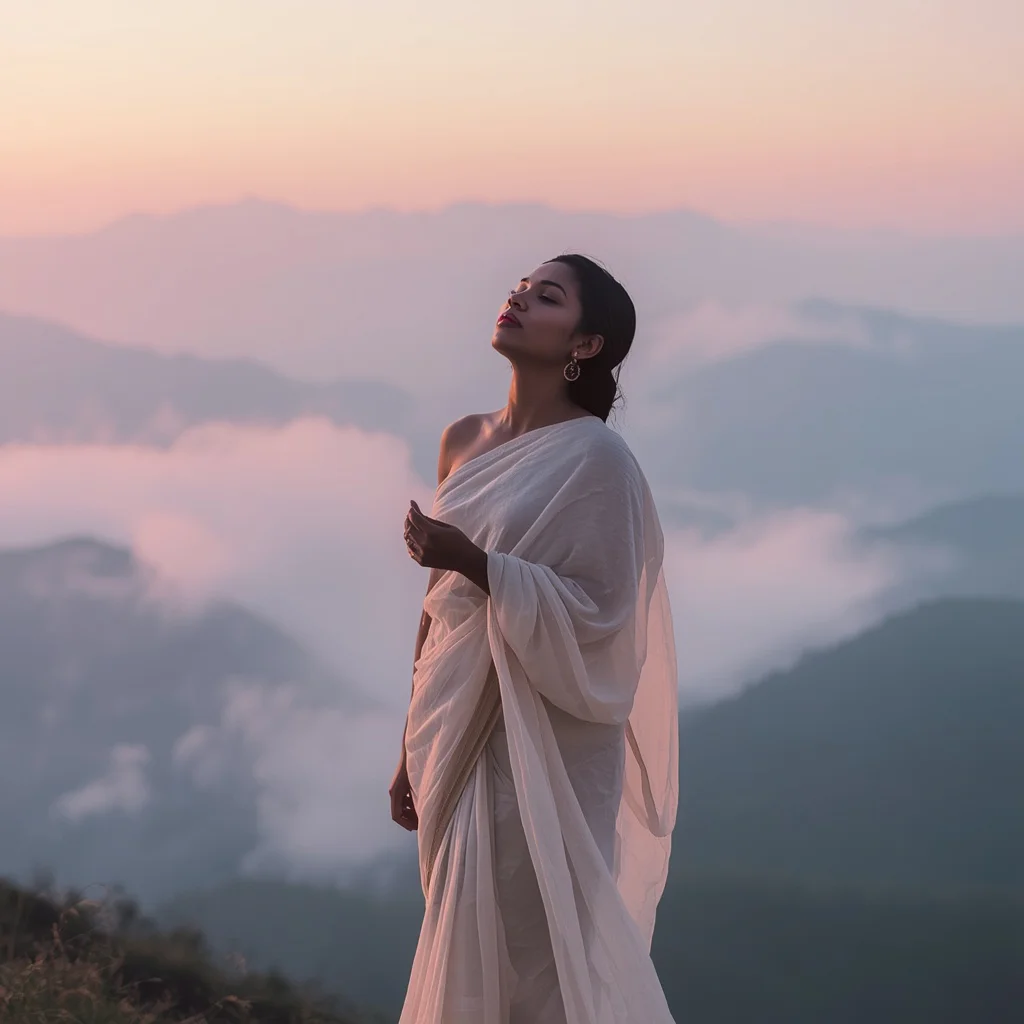
Each prompt constructs a distinct atmosphere by blending fabric, posture, and environment. In the ethereal dreamscape prompt, the woman is depicted "seemingly floating amidst soft, pastel clouds," her "pastel lavender net saree gracefully flows around her," and her "arms are gently raised, palms open, as if in a delicate dance." The lighting is described as "soft, atmospheric lighting creating a truly otherworldly, magical" feel, which pushes the model toward a weightless, painterly result. In contrast, the empowering style prompt grounds the scene with a "minimalist, warm pastel grey studio wall" and "strong, directional lighting creating sharp contrasts," while the woman "stands with a confident and stylish stance" and wears a "rich pastel lavender Kanjeevaram saree, shimmering with subtle silver zari work."
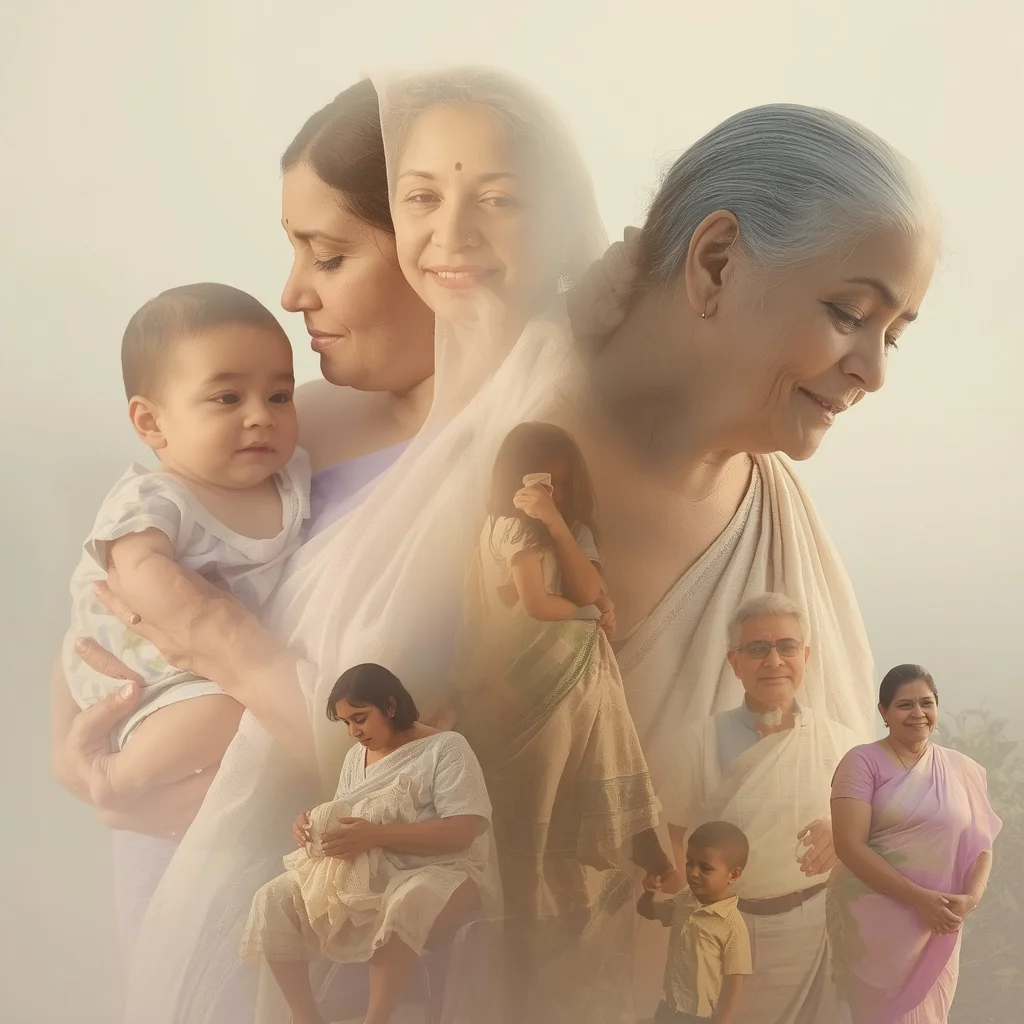
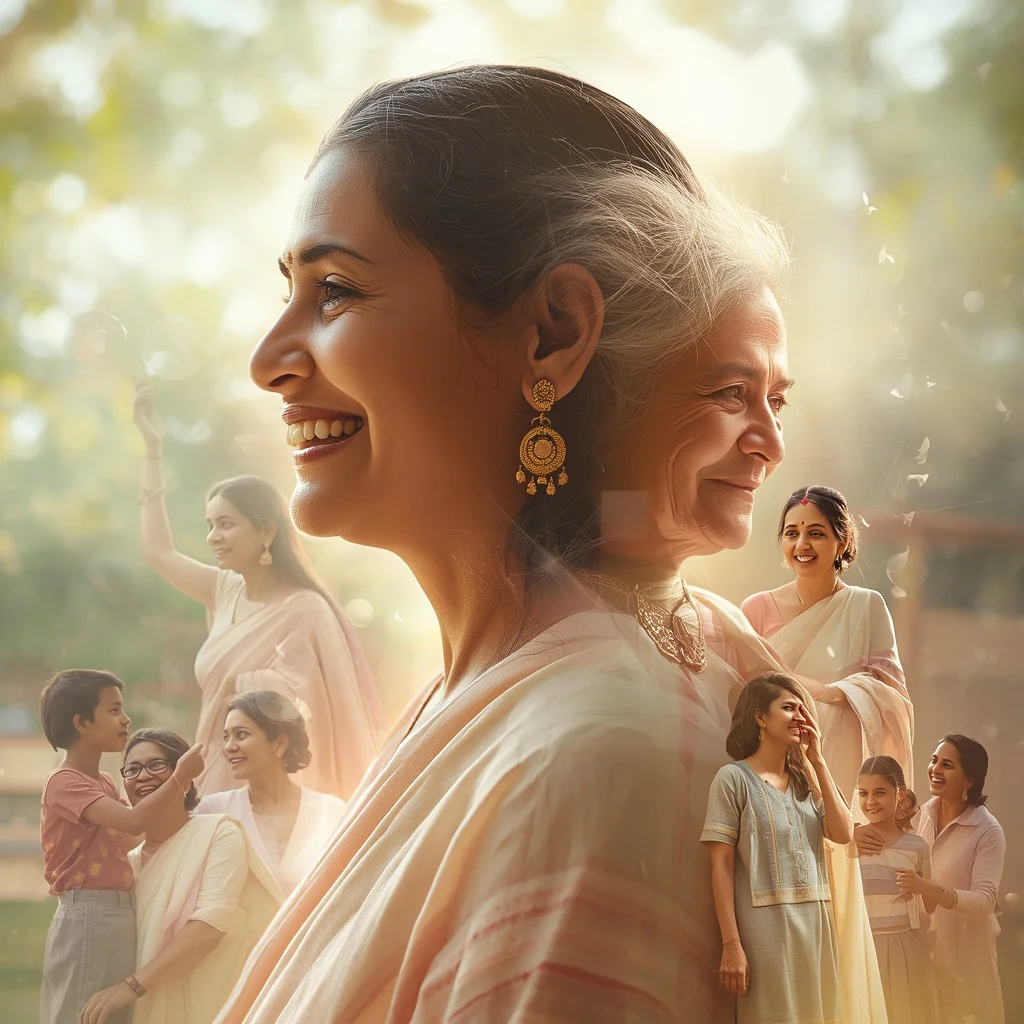
The narrative-driven prompts, such as those depicting an Indian mother, use overlapping imagery to suggest time and memory. One prompt describes "an Indian mother in a soft cream and pastel lavender saree, embodying gentle wisdom, appearing across multiple motherhood stages overlapping in one frame," with scenes of "singing a lullaby to her baby" and "sharing life lessons with her adult children." The background is consistently described with "soft, unified pastel tones and gentle, sun-drenched" lighting, which ties the multiple moments into a single, harmonious composition. These quoted clauses are the engine of the image—they tell the AI exactly what emotional temperature and visual texture to aim for.
Why these purple saree prompts stand out
These prompts excel because they combine cultural richness with universal emotional appeal, making them suitable for everything from personal creative projects to professional portfolio pieces. The consistent use of pastel and purple tones gives the collection a cohesive, regal identity, while the variety of moods—joyful, contemplative, powerful, dreamy—ensures there is a prompt for nearly any visual storytelling need.
- The prompts embed strong narrative cues like overlapping motherhood stages or candid laughter, which produce images that feel alive rather than static.
- Fabric and lighting specifics such as 'pastel lavender Kanjeevaram saree' and 'soft rim lighting' guide the AI toward realistic drape, shimmer, and depth.
- Each prompt includes precise hand and expression details—'hands playfully raised near her face' or 'eyes crinkling with happiness'—that reduce awkward AI-generated poses.
Three artistic styles that suit this collection
While these prompts are written with a realistic, photographic foundation in mind, they can be adapted to three distinct visual styles without losing their essence. The key is to keep the saree, the woman, and the core emotional tone intact while shifting the rendering approach.
styles_paragraphs_note_ignore_this_string_it_is_not_real_content_just_a_marker
- Ethereal Fine-Art Photography: Apply a soft-focus, dreamlike filter that enhances the pastel cloudscapes and flowing net sarees, making every frame look like a painterly editorial shoot.
- Cinematic Realism: Use high-contrast lighting and shallow depth of field to dramatize the confident Kanjeevaram saree pose and the reflective studio floor, giving the image a film-still quality.
- Soft Watercolor Illustration: Render the overlapping motherhood scenes and misty mountain vistas with gentle, blended brushstrokes that amplify the tender, nostalgic mood of the pastel chiffon and linen sarees.
How to generate these purple saree images step by step
Turning these prompts into stunning images is straightforward if you follow a structured process that respects both the AI’s strengths and its common pitfalls. Start by selecting the one prompt from the collection that matches your desired mood, then work through generation and refinement carefully.
steps_paragraphs_note_ignore_this_string_it_is_not_real_content_just_a_marker
- Copy the chosen prompt exactly. Take the full prompt text from the collection—such as the 'Ethereal Dreamscape' or 'Joyful Expression' prompt—and paste it into your AI image generator without altering the descriptive clauses.
- Upload a reference photo if possible. If your tool supports image-to-image or style reference, upload a photo of a real saree drape or a face with the desired expression to guide the AI’s proportions and fabric fall.
- Generate the first batch. Run the prompt and produce at least four variations. Look for the version where the saree colour, hand gestures, and background lighting most closely match the prompt’s description.
- Check the hands and fingers. Zoom in on every hand—whether raised, clasped, or holding a journal—and discard images where fingers are fused, missing, or unnaturally bent.
- Inspect the face and eyes. Verify that the eyes are symmetrical, the expression matches the prompt (e.g., 'eyes crinkling with happiness' or 'serene, eyes closed'), and the skin texture is consistent.
- Examine the main object—the saree. Look at the saree’s drape, pleats, and border. Ensure the fabric texture (net, silk, linen, chiffon) is recognisable and that any zari work or shimmer is rendered cleanly.
Choosing the right reference photo
A well-chosen reference photo can dramatically improve the realism and cultural accuracy of your generated image, especially for details like saree draping and hand gestures. The reference does not need to be a perfect match, but it should share key elements with your chosen prompt.
- Select a reference where the saree is draped in a style close to your prompt—such as a modern, structured drape for the charcoal grey silk saree or a soft, flowing pallu for the chiffon dreamscape.
- Pick a photo with lighting that echoes your prompt’s description, for example soft, diffused window light for the thoughtful journal scene or strong directional studio light for the empowering Kanjeevaram portrait.
- Ensure the reference shows clear hand positioning—open palms, gently clasped hands, or a hand on the hip—so the AI has a reliable guide for generating natural-looking fingers.
AI tools that bring these purple saree prompts to life
Different AI image generators handle fabric, skin, and lighting with varying degrees of realism, and choosing the right one can make or break a prompt this detailed. The table below compares four popular tools and what they offer for this specific collection.
tools_paragraphs_note_ignore_this_string_it_is_not_real_content_just_a_marker
| Tool | Access | Typical realism | Useful here for |
|---|---|---|---|
| ChatGPT | Free tier available; DALL·E integration | Moderate to high, painterly lean | Rendering the ethereal dreamscape with floating pastel lavender net saree and soft cloud lighting |
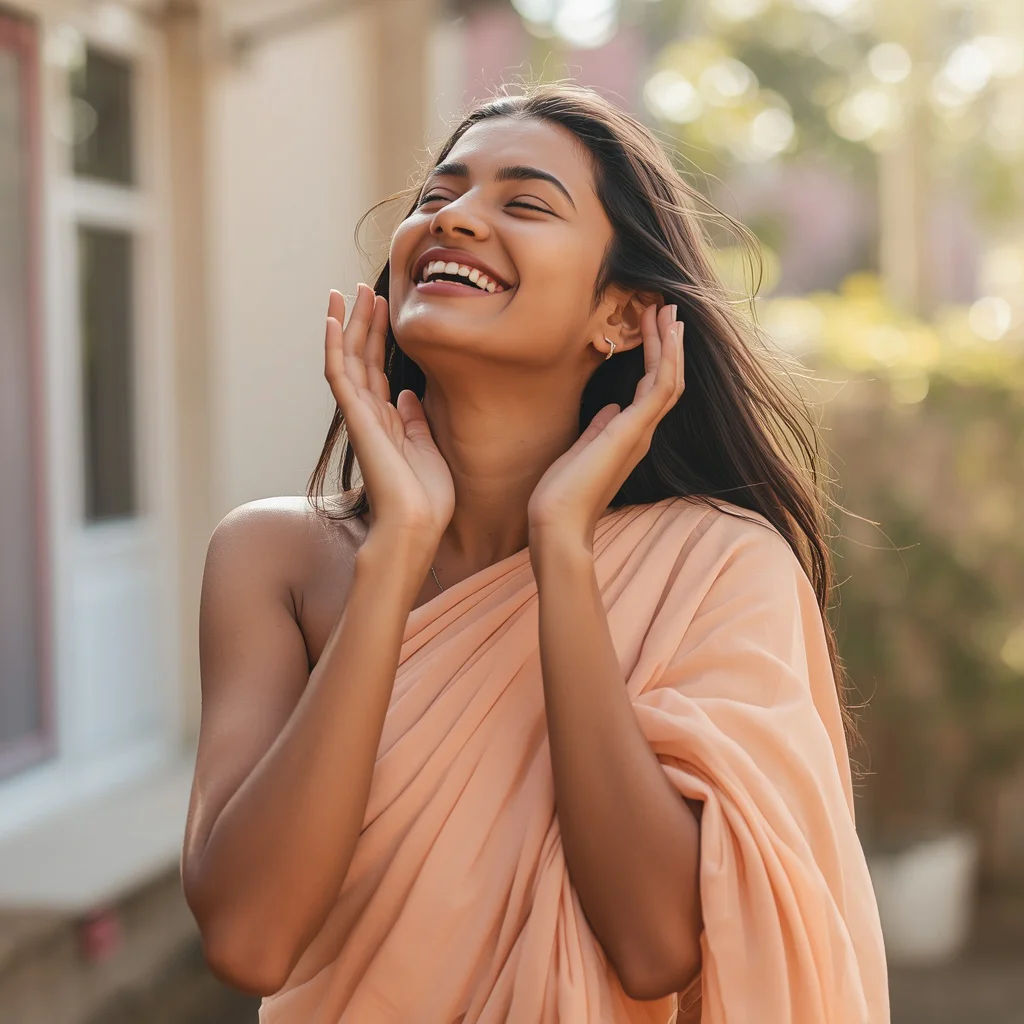
| Google Gemini | Free tier available; Imagen integration | High, photorealistic strength | Capturing the candid delight moment with genuine laughter and the pastel peach crepe saree’s easy drape |
| Leonardo AI | Freemium with daily credits | High, excellent texture detail | Reproducing the sharp pleats and reflective floor in the artistic fusion prompt with pastel charcoal grey silk saree |
| Midjourney | Paid subscription only | Very high, cinematic and atmospheric | Creating the overlapping motherhood narrative with soft cream and pastel rose pink saree and warm, unified tones |
Three tips for getting the best purple saree results
Small adjustments to how you use these prompts can yield significantly better images. The tips below focus on real materials and objects that appear directly in the prompt texts, so you can refine your output without guessing.
- When generating the pastel lavender Kanjeevaram saree, add a negative prompt for 'blurry zari' or 'melted silver threads' to keep the subtle silver zari work crisp and distinct against the rich purple fabric.
- For the pastel sage green linen saree prompt, increase the weight of terms like 'natural texture' and 'open journal' in your generator’s prompt editor to prevent the linen from looking like smooth silk or the journal from becoming a blank rectangle.
- If the pastel aqua blue chiffon saree image keeps losing the 'softly clasped together near her chest' hand gesture, use an inpainting tool to redraw just the hands while locking the rest of the image, referencing the original prompt’s hand description.
Common issues and how to fix them
Even well-written prompts can produce flawed images, especially when dealing with complex elements like overlapping figures, reflective surfaces, and delicate fabrics. The table below addresses four failures that these specific purple saree prompts can actually encounter.
issues_paragraphs_note_ignore_this_string_it_is_not_real_content_just_a_marker
| Issue | What to change |
|---|---|
| Overlapping motherhood figures blend into one indistinct blob | Add a negative prompt like 'merged bodies, fused silhouettes' and reduce the CFG scale slightly to give the AI more room to separate the transparent layers. |
| Geometric reflections on the floor look like random noise instead of mirrors | Strengthen the phrase 'highly reflective floor' in the prompt and add 'clean mirror reflection, sharp geometric lines' to the positive prompt while using 'blurry reflection, distorted mirror' as negatives. |
| The pastel net saree in the dreamscape prompt appears as solid silk with no transparency | Emphasise 'sheer net fabric, translucent layers' in the prompt and reduce any style keywords that imply heavy, opaque materials. |
| Eyes in the candid laughter prompt look unnatural or asymmetrical when crinkled | Use a face restoration tool or inpainting on the eye area with a focused prompt like 'eyes crinkling with genuine happiness, symmetrical, natural skin folds'. |
Frequently Asked Questions
Can I mix elements from two different prompts in this collection?
Yes, you can blend details, but do it carefully. For example, you might take the 'pastel lavender Kanjeevaram saree' from the empowering style prompt and place it in the 'misty pastel mountains at dawn' background from the dreamlike vista prompt. Just make sure the lighting descriptions still match—strong directional studio light will clash with soft ambient backlighting, so pick one lighting style and rewrite that clause consistently.
Why do some generated images show the saree in a colour that is not purple?
Several prompts in this collection intentionally use pastel peach, cream, rose pink, ivory, charcoal grey, sage green, and aqua blue alongside purple and lavender tones. The collection’s title refers to the overall regal and luxurious aesthetic rather than a strict purple-only palette. If you want only purple, stick to the prompts that explicitly mention lavender, purple, or violet, and add 'purple saree' as a weighted term.
How do I keep the overlapping motherhood scenes from looking chaotic?
The overlapping effect relies on words like 'transparently blending' and 'soft, unified pastel tones.' If your output looks cluttered, lower the prompt’s stylistic weight, add 'clean composition, gentle transitions' to the positive prompt, and use a negative prompt like 'busy background, harsh edges, multiple conflicting light sources.' Generating at a higher resolution can also help the AI separate the layers more cleanly.
Conclusion
This collection of ten purple saree prompts offers a versatile toolkit for creating AI images that range from tender and narrative-driven to bold and editorial. By paying attention to the specific fabric names, lighting adjectives, and gesture details embedded in each prompt, you can guide any capable image generator toward results that feel intentional, culturally resonant, and visually luxurious. Whether you are crafting a personal keepsake, experimenting with fashion-inspired AI art, or building a portfolio of regal Indian imagery, these prompts give you a strong foundation—and the tips, tool comparisons, and troubleshooting advice in this article should help you refine every generation until it matches the vision in your mind.
Remember to only use a reference photo that you have the legal right to edit and incorporate into your AI workflow.